
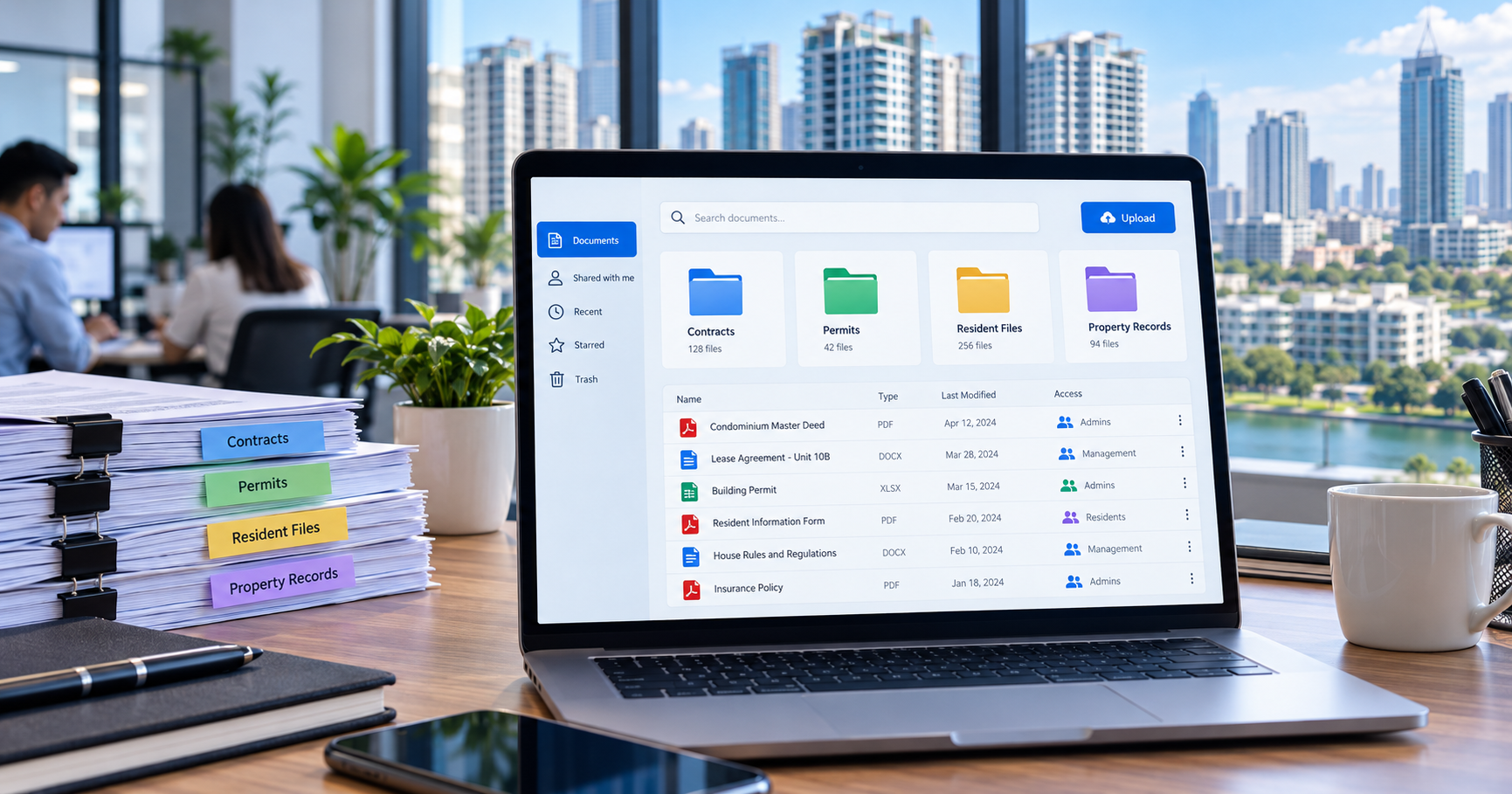
Property document management software helps property teams organize, find, and manage access to digital records used in day-to-day operations. In the Philippines, property managers should evaluate how software handles document uploads, categories, resident access, search, permissions, and records requiring careful handling. The right choice depends on the property's records and responsibilities, not simply the number of features on a product page.
A condominium administration office, apartment operator, residential community, commercial property, or industrial site may manage different kinds of documents. Yet the same practical questions arise: Where should a record be stored? Which document is relevant? Who is authorized to view it? How can someone locate it when needed? These questions offer a useful starting point for comparing solutions without assuming every property follows the same procedures.
What Does Property Document Management Software Actually Do?
Digital property records management starts with a defined place for files and related document information. A document management system provides that place while supporting the organization of applicable records. Its purpose is not merely to replace a physical cabinet with an online folder. Property teams also need understandable categories, consistent records, ways to retrieve documents, and appropriate access for the people responsible for using them.
Property document management software can form part of a wider property management platform or operate as a separate document-focused system. A general-purpose document management product may prioritize scanning, document revisions, or complex organizational workflows. Property operations software should be evaluated against the records property administrators and residents actually need.
Before comparing document-specific features, property owners assessing an entire platform may benefit from choosing property management software in the Philippines. That broader decision includes operational requirements beyond file organization, such as resident services, billing, maintenance, and security.
Which Property Documents Should Management Teams Organize?
Start with an inventory of existing records. Instead of importing every available file without review, identify which documents belong in the proposed system, why they are needed, who maintains them, and who should have access.
Property and administrative documents: Relevant management agreements, approved policies, internal administrative forms, and other records required for the property's operations.
Contracts and agreements: Documents connected with applicable property, service, or occupancy arrangements. Treat them according to the property's responsibilities and agreements.
Permits and supporting records: Applicable permits and related documentation, including business permits where relevant to the organization or property.
Community information: Rules, policies, or other documents intended to be accessible to an authorized resident audience.
Resident-submitted documents: Files provided for an authorized purpose, subject to appropriate collection and access practices.
These are examples of possible record groups, not a universal list of legally required documents. A property should first determine whether a particular document belongs in its records and whether it has a lawful, operational reason to store it.
It is also important to distinguish a document from the activity that produced it. A moving request, maintenance issue, or work-permit application may involve supporting files, but managing the request and managing the files are not always the same task. Don't assume a document repository automatically updates or completes the related operational process.
How Should Property Managers Evaluate Document Categorization?
Property document organization starts with useful categories. Document categorization helps users identify a record's purpose before opening it. Clear categories can reduce confusion when different files have similar names or when a property maintains many kinds of records. They also help teams adopt a consistent naming and filing approach.
BahayKo supports document categorization and configurable document types. Its document selection interface shows examples such as Business Permit, Contract, and Others. Property administrators can organize records with categories that fit their needs. The key evaluation question is whether the category structure fits the property's document inventory and remains understandable to its users.
Too many overlapping categories can be as difficult to manage as having none. Ask who establishes categories, how they are named, and how personnel decide which one applies to a record. Document organization works best when staff follow a consistent approach instead of choosing different labels for similar documents.
What Is the Difference Between a Document Type, File Format, and Access Permission?
These terms describe different things and should not be treated as interchangeable.
Term | What it describes | What a property manager should verify |
|---|---|---|
Document type | The category or purpose of a document, such as a contract or permit | Whether useful categories can be created and selected consistently |
File format | The technical form in which a file is saved | Which specific formats, size limits, and upload conditions are supported |
Access permission | Who may view or perform allowed actions on a document | Whether the available permissions fit the property's responsibilities |
Search capability | How users locate records or content | What information is searchable and which documents are included |
BahayKo supports multiple file formats, access permissions, and full-text search. However, don't expand those statements into assumptions about specific file extensions, unlimited upload sizes, every possible permission level, or optical character recognition. Confirm the exact capabilities and limits applicable to the proposed configuration.
What Should You Check About Document Uploads?
Uploading a file should give it a clear place within the property records. During software evaluation, review what information accompanies a document and how users identify the correct record afterward. Check whether the expected document types are available and whether staff understand which information they need to provide.
BahayKo provides document upload functionality for property operations and residents. Property teams should still assess practical requirements such as file selection, applicable format restrictions, acceptable file sizes, incomplete submissions, and how to handle an incorrect upload. These details can affect whether people use the repository consistently.
Not every file needs to be collected. Before requesting a document from a resident, identify the specific purpose, whether you need it, and who should receive it. More uploaded information does not automatically improve property management, especially when files contain personal or confidential details.
How Can Property Teams Find the Right Document Without Confusion?
Property document retrieval is a separate consideration from document storage. A repository may contain a record, but users still need an effective way to locate it. Search terms, document categories, descriptive titles, and consistent record information can all matter during evaluation.
BahayKo offers full-text search within its document-management offering. Property managers should assess how that capability works with their intended documents: what content is indexed, whether uploaded text can be found reliably, and how search results distinguish records with similar names.
Full-text search should not be confused with automatic text extraction from scanned images. Optical character recognition, commonly called OCR, is a separate capability that the property must confirm if it relies heavily on image-based scans. A buyer should also verify whether searches respect the user's document access permissions, rather than assuming all stored content is available to every user.
Search quality depends partly on the material entered into the system. A consistent category and meaningful document title may still be valuable even when full-text search is available. Test the retrieval process using approved sample files that reflect the property's records, without sharing real residents' confidential information during a sales demonstration.
What Document Access Should Residents Have?
Residents may need to submit relevant documents or view records made available to them. This does not mean that every management document belongs in a resident-facing area. The property should distinguish information intended for a community audience from information tied to a specific resident or used for internal administrative purposes.
BahayKo supports resident document uploads and access to uploaded documents. Its resident-facing experience provides a defined place for these activities. Readers evaluating the wider resident app for property management can review how document access fits alongside other resident services without confusing those services with document-management functions.
Ask which records a resident can see, how the property determines eligibility to access a document, and what happens when a resident's relationship to a unit changes. Confirm what property personnel can see and what remains private. Base answers on the actual system configuration and the organization's documented responsibilities, not on the generic assumption that all users have the same access.
How Should Property Managers Evaluate Access Permissions?
Document access permissions matter because property records can include contracts, contact information, identification details, or other sensitive material. The person responsible for one task may not need access to every document the organization stores.
BahayKo supports document access permissions. Demonstrate the specific roles, permitted actions, and configuration options against the property's intended responsibilities. Property managers should ask who can open a record, who can upload or change applicable information, and how access is reviewed when responsibilities change.
Consider permissions alongside staff practices. Even when a system offers access controls, an organization needs its own process for granting access appropriately, checking user accounts, and handling information shared outside the system. Software functionality alone does not establish a complete information-security or privacy program.
Why Do Current and Outdated Documents Need Separate Attention?
A document repository does not automatically guarantee that the most recent or authoritative document will always be selected. Some property documents may be revised, replaced, or withdrawn. Property managers should decide how their team identifies the current, applicable copy and what happens to earlier copies.
Version history is a distinct software capability. It should not be inferred from the ability to upload or categorize documents. When comparing providers, ask whether they can identify prior revisions, trace changes, and which controls they actually include. If a proposed system lacks a dedicated version-history function, the property may need a documented procedure to manage replacements and avoid confusion.
The same caution applies to detailed file-activity logs, automatic archiving, and electronic signatures. These are separate functions and should not be assumed to exist just because a product has a document repository. Determine whether they are necessary for the property's requirements before treating them as deciding factors.
How Do Document Requirements Differ Across Property Types?
Assess a property management document system against the specific property rather than a single template. Condominium offices, apartment operators, residential communities, commercial properties, and industrial sites may manage different relationships, rules, and documentation. The right categories and responsibilities may therefore vary.
Property setting | Document-related questions to consider |
|---|---|
Condominium | Which community records are intended for residents, and which records are for authorized management personnel? |
Apartment or residential rental property | How should the organization distinguish property-level files from records associated with particular occupants or units? |
Managed residential community | Which policies or community information should be accessible to the appropriate residents? |
Commercial property | How are relevant contracts, permits, and operating documents organized for authorized personnel? |
Industrial property | What document categories and access responsibilities are needed for the site's actual operations? |
These are evaluation prompts, not a claim that every property must maintain a particular document or follow an identical approval process. The relevant property manager should identify the organization's actual needs before selecting a software configuration.
What Should Philippine Property Managers Consider About Data Privacy?
Documents can contain personal information, so organizations should carefully consider how they collect, access, retain, and dispose of it. The Philippines' Data Privacy Act of 2012 and its implementing rules establish principles including transparency, legitimate purpose, and proportionality for covered personal-data processing. Those principles concern how organizations handle information, not merely which software they purchase.
Property teams should be able to explain why they collect a document, whether the information is necessary, who can access it, and how to handle the record when its purpose ends. The National Privacy Commission's implementing rules also address data quality, appropriate safeguards, and limits on retaining personal data beyond what is necessary for lawful purposes.
No general article can determine a universal retention period for all property documents. The appropriate period can depend on the nature of the information, lawful purpose, legal obligations, agreements, and other relevant circumstances. Ask how the system actually handles records, but keep the organization's data-governance responsibilities separate from the software's available controls.
Electronic records may also raise questions about authenticity, signatures, and evidentiary use. Republic Act No. 8792, the Electronic Commerce Act, provides legal rules for electronic documents subject to applicable conditions. Uploading a document to software does not, by itself, establish that every legal or contractual formality has been satisfied. Seek qualified advice when a specific document's legal status matters.
How Is Property Document Management Different From General Business Document Management?
General business document-management products can suit a wide range of organizations. Some emphasize document capture, complex workflows, revisions, signatures, or enterprise-wide records policies. Assess property document management software from the perspective of the people and records involved in managing properties.
For property managers, the deciding questions may be more practical than technical: Can the property organize different record types? Can authorized staff locate the right document? Do residents have appropriate access to their document functions? Can the organization keep confidential material from reaching unintended audiences?
This does not make every advanced enterprise function unnecessary. A property with specialized retention, audit, or legal-document requirements may need capabilities beyond an ordinary repository. The key distinction is between a required function, a useful optional feature, and a feature a supplier mentions but cannot demonstrate in the actual proposal.
Which Document Management Features Does BahayKo Provide?
BahayKo's document management offering includes a document repository with six functions relevant to property operations:
Document uploads: Property personnel and residents can add applicable documents through supported document functions.
Document categorization: Records can be organized by document type, including configurable categories that match the property's needs.
Resident document access: Residents can upload and view applicable documents through the resident-facing experience.
Multiple file formats: The document functionality supports multiple file formats. The exact format list and upload limits should be confirmed.
Access permissions: Document access can be controlled through available permissions. Buyers should confirm the precise actions and user responsibilities supported in their configuration.
Full-text search: Users can search documents, which should be evaluated against the content and files they intend to manage.
These features make BahayKo relevant for property managers who want document organization alongside other property services. Do not interpret them as proof of automatic document expiry reminders, version history, complete file-activity logging, electronic signature workflows, bulk archiving, or integration with every other property process.
A software demonstration should use the property team's own document categories and appropriately anonymized test files. Ask to see how an authorized user adds, categorizes, locates, and accesses a document. If a particular control is important to the purchasing decision, verify it directly rather than relying on a general description of the platform.
What Should Property Managers Test Before Choosing a System?
Prepare a short requirements checklist before comparing software providers. The following questions focus on documented needs rather than an unnecessarily long feature wish list.
Document inventory: Which records will be stored, and why does the property need them?
Categories: Can the organization establish useful document types without creating overlapping labels?
Uploads: Which file formats and upload limits apply to the intended files?
Resident experience: What can an eligible resident upload or view, and what remains private?
Permissions: Which users can access the relevant documents, and who manages those permissions?
Retrieval: Can a user find the intended record through categories and full-text search?
Current records: How does the property distinguish the current applicable document from an outdated copy?
Privacy: Do the system's available controls and the organization's procedures support its actual obligations?
Support and implementation: What setup, training, operational support, and configuration are included in the proposed service?
Data handling: What arrangements apply when records need to be corrected, exported, retained, or handled at the end of the service?
Ask the software provider to distinguish capabilities already included in the proposed system from options that require configuration, separate services, or additional development. Request written clarification for limitations that could materially affect the property's decision.
What Is the Best Next Step When Evaluating Document Management Software?
Begin with the documents your property actually handles and the people who need to work with them. Decide which categories matter, which records residents should access, which files need restricted access, and how users should find current information. Then compare the software against those needs.
Select property document management software in the Philippines that reliably fits your real property responsibilities, not just the largest advertised feature list. If BahayKo is among the solutions under consideration, request a BahayKo system demonstration to examine its document features against your property type, document categories, and intended users.
Frequently Asked Questions
What is property document management software?
It is software that organizes, retrieves, and manages access to documents relevant to property operations. The available functions depend on the product. Some solutions provide a dedicated repository, while others include document functionality within a wider property management platform.
What types of documents can BahayKo organize?
BahayKo supports document categories, with examples including Business Permit, Contract, and Others. Property teams can create document types appropriate to their needs. A category label does not determine whether every possible document or file format is accepted, so confirm the relevant upload conditions.
Can residents upload and view documents in BahayKo?
Yes. BahayKo provides functions for residents to upload and view documents. Check the property's setup and applicable permissions to confirm which documents a resident can access; resident access does not mean every administrative record is shared.
Does BahayKo support full-text document search?
Yes. Full-text search is part of its document functionality. Property managers should verify which content is indexed and test their own intended file types. Do not assume that scanned images can be searched through OCR without separate confirmation.
Does a document repository automatically provide version history and electronic signatures?
No. Uploading and storing files does not automatically provide document revision histories, electronic signatures, detailed activity logs, or automated archiving. These are separate functions that must be assessed individually if a property's records require them.
Does document management software make a property compliant with Philippine privacy law?
No. Software may support an organization's information-handling practices, but privacy compliance depends on lawful purposes, appropriate safeguards, organizational responsibilities, retention practices, and other applicable requirements. Property managers should assess their obligations and seek qualified guidance when needed.
Disclaimer
This article provides general information to help you evaluate property document management software in the Philippines. It is not legal, privacy, security, accounting, tax, or records-management advice. The exact software capabilities, permissions, file-format support, processing arrangements, and applicable obligations depend on the property, provider, implementation, and relevant law. Confirm key functionality and seek qualified professional advice when needed.