
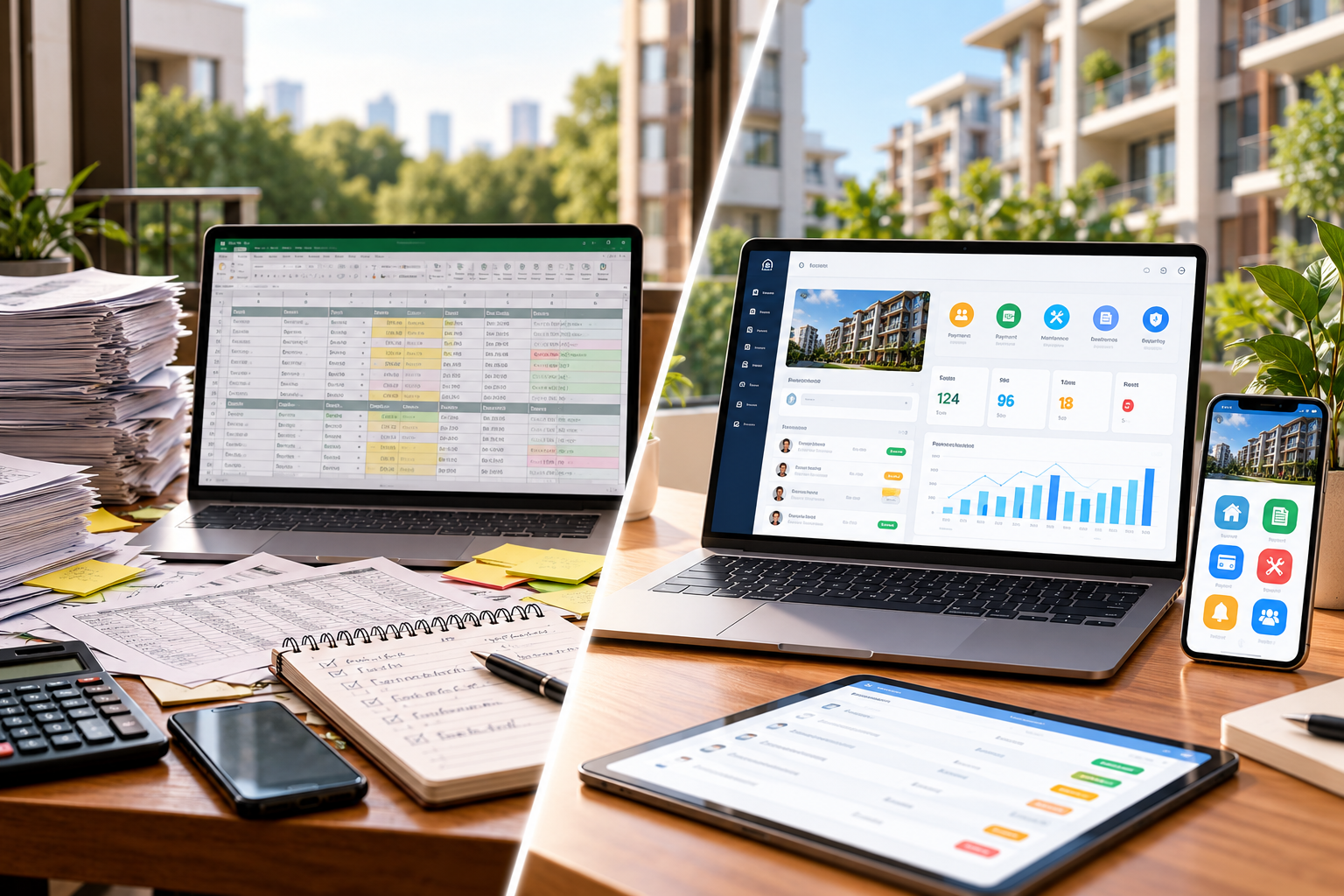
Property management software vs spreadsheets is not a question of which tool is universally better. Spreadsheets can work well for a small, straightforward property operation. Dedicated software becomes worth evaluating when records are difficult to keep consistent, several teams need the same information, or routine follow-ups depend on copying details between files and messages. For Philippine property owners and administrators, the right time to switch is when the cost and risk of managing disconnected information begin to outweigh the effort and expense of adopting a suitable system.
Start with actual property tasks, not promises of automatic solutions. Compare how your team handles residents, billing, requests, maintenance, access, and reporting. Identify which problems come from disconnected tools and which can be solved by improving procedures.
When Are Spreadsheets Still Enough for Property Management?
A property management spreadsheet can be practical when the operation has a manageable number of records, a small group of users, and clearly assigned responsibilities. A landlord with a few rental units might maintain a unit list, tenant contact details, payment schedule, expense register, and maintenance log without needing a full property management platform.
Spreadsheets are useful for calculations, filtering, summaries, and flexible reporting. They are also familiar to many office teams. Modern options are not necessarily limited to a single file on one computer. Microsoft Excel supports co-authoring in supported versions and cloud setups, while Google Sheets supports online collaboration and sharing controls.
If the team maintains reliable records, protects sensitive files, applies consistent formats, and checks updates, there may be no immediate reason to replace the setup.
How Does Property Management Software Compare With Spreadsheets?
An Excel vs property management software comparison is most useful when it considers the work people perform, not just the number of features available. The differences below are typical evaluation considerations, not guarantees that every software product provides the same capabilities.
Operational need | Spreadsheets | Dedicated property management software |
|---|---|---|
Property and occupant records | Flexible tables that require a consistent naming and updating process | May organize records by property, unit, account, user, or other defined relationships |
Billing and payments | Can calculate and record amounts, subject to manual checks and file design | May provide structured billing, collection, and payment records for authorized users |
Resident requests | Can log requests if staff enter and maintain each update | May provide request records, statuses, and relevant staff or resident access |
Maintenance | Can maintain a task list and history | May organize maintenance activities and service updates within a defined process |
Access and collaboration | Sharing and version features vary by product, account, and configuration | User roles and permissions may be designed around property responsibilities |
Reporting | Custom calculations and summaries depend on the quality of the underlying data | Reports may draw on operational records supported by the platform |
Both approaches need accurate data and responsible review. Ask how a proposed platform actually works rather than assuming a feature label proves its value.
What Signs Suggest Your Property Has Outgrown Spreadsheets?
Knowing when to switch to property management software starts with recurring problems. Look for patterns rather than treating one spreadsheet error as proof that everything must change.
1. Multiple files disagree about the same record
When unit status differs across administrative, billing, and maintenance files, staff must identify which version is current. Collaboration tools cannot solve inconsistent identifiers or uncontrolled copies by themselves.
2. Follow-ups depend on one person's inbox
A resident concern might arrive through chat, a payment question through email, and a maintenance request through a paper form. When those items are tracked only in personal channels, another authorized team member may struggle to see what was reported, who is responsible, and whether an update has been recorded.
3. Reporting requires repeated manual consolidation
When monthly reporting requires rebuilding figures from separate billing, request, and maintenance files, a more connected approach may reduce repeated handling.
4. Staff cannot easily identify responsibility or status
A row marked “pending” may not explain whether a request is awaiting information, under review, assigned to a team, or waiting for confirmation. The issue is partly procedural: every property needs clear definitions. Software is useful only if its records and workflow reflect those definitions.
5. Access becomes difficult to manage
Different roles may need different levels of access to tenant details, billing information, visitor records, or maintenance issues. If the current file-sharing approach exposes more information than necessary or makes staff changes difficult to manage, the team should review its access controls and operating practices.
6. Growth adds complexity faster than the current process can handle
More buildings, units, personnel, or service requests can increase the number of handoffs. A process that worked for one small property may become difficult to maintain across several sites or departments. Portfolio size is a consideration, but the complexity of responsibilities is often more meaningful than a single unit-count threshold.
Does Every Philippine Property Need to Switch at the Same Time?
No. Property teams comparing property management software in the Philippines should start with their operating model. Manual property management may suit a few rental units; condominiums can involve more resident communication, visitors, and maintenance. Commercial or industrial sites may add contractor access, permits, and different controls.
Similar-sized properties can have different needs. Evaluate the clarity and reliability of the current process, not just the unit count.
How Can You Decide Whether Switching Is Worthwhile?
Before choosing a system, compare the full effort of staying with spreadsheets against the effort of changing tools. A fair assessment should consider time spent on repeated entry and reconciliation, record corrections, report preparation, missed handoffs, staff training, migration, subscriptions, support, and ongoing administration.
Do not assume that software automatically saves a fixed number of hours or guarantees a return on investment. The benefit depends on the work being replaced, the quality of existing data, the adopted processes, and how consistently users follow them.
A simple decision framework can help:
Keep spreadsheets for now when records are consistent, tasks are limited, responsibilities are clear, and the team can maintain suitable access and review practices.
Improve the existing process first when problems mainly come from duplicate templates, unclear status labels, missing checks, or incomplete staff instructions.
Evaluate dedicated software when several roles need connected records, repeated handoffs are difficult to trace, reporting is labor-intensive, or routine service activities regularly lose context.
If your team reaches the third stage, the next decision is what kind of platform meets your requirements. BahayKo's guide to choosing property management software in the Philippines explains what to examine when comparing systems, users, and operational fit.
What Should You Prepare Before Replacing a Spreadsheet Process?
Start with a manageable inventory rather than moving every file immediately. Identify the spreadsheets currently used, the owner of each file, the records they contain, and the decisions or services that depend on them. Mark duplicated information and fields that are missing, inconsistent, or no longer needed.
Define which records need continued access and which roles should review them. Test the proposed system using examples such as a resident request, payment discrepancy, unresolved repair, or visitor activity where applicable.
Confirm migration scope, permissions, training, support, and integration requirements with the provider. Do not assume that all historical files must transfer or that systems automatically synchronize. Define the authoritative record during transition. For residential properties preparing to adopt a new system, our residential property management software implementation checklist covers record preparation, testing, training, and go-live planning.
What Privacy Responsibilities Apply to Both Approaches?
Property teams may handle names, contact information, occupant records, billing details, visitor information, and other personal data whether they use spreadsheets or dedicated software. In the Philippines, the Data Privacy Act of 2012 and its Implementing Rules and Regulations establish responsibilities involving lawful processing, transparency, legitimate purpose, proportionality, and appropriate organizational, physical, and technical safeguards.
Changing tools does not transfer every privacy responsibility to a software provider. Property organizations still need to decide what information is necessary, who can access it, how long it should be retained, and what procedures apply when records are corrected, shared, or disposed of. Obtain qualified advice where needed.
How Does BahayKo Support More Connected Property Operations?
BahayKo is a property management platform positioned for Philippine condominium, apartment and residential, commercial, and industrial properties. Its current BahayKo property management features describe a resident app for payments, requests, announcements, documents, and community services; accounting tools for billing and financial records; maintenance management; and property security support through patrol and incident records. The broader platform is presented as a connected environment for property information and daily services.
That makes BahayKo relevant to teams comparing disconnected records with a more organized platform. However, availability and exact workflows should be confirmed for each property. Do not assume automatic spreadsheet imports, bank integrations, reconciliation, approvals, or a particular implementation process unless these are explicitly demonstrated for your setup.
Property teams can request a BahayKo system demonstration and bring realistic operating scenarios to discuss their requirements.
When Should You Make the Switch?
The best answer to property management software vs spreadsheets is to switch when the operation has a clear, recurring need that a more structured system can address—and when the team is prepared to adopt it responsibly. Spreadsheets remain useful for limited, well-controlled work. Dedicated software becomes worth examining when consistent records, clear responsibilities, and connected services are harder to maintain across people and departments.
Define today's difficulties, desired results, and essential requirements before selecting a replacement. Do not replace a working system simply because another tool exists.
Frequently Asked Questions
Can spreadsheets still work for small landlords?
Yes. Spreadsheets may be sufficient for a small property with straightforward records, limited users, and well-managed billing and maintenance logs. Their suitability depends on the work involved, not only the number of units.
What is the biggest difference between spreadsheets and property management software?
Spreadsheets are flexible general-purpose tools. Dedicated property management platforms may organize related records and access around property operations. The meaningful difference is how well each approach supports the property's actual tasks and responsibilities.
When should a property team stop relying only on Excel?
Consider reviewing alternatives when multiple files disagree, status updates repeatedly get lost, staff must consolidate reports manually, or several teams struggle to coordinate the same records. These are signs to investigate, not automatic proof that replacement is necessary.
Will property management software automatically reduce operating costs?
No cost reduction is guaranteed. Compare software fees, setup, data preparation, training, support, and ongoing administration with the current effort spent maintaining records and correcting errors. Results depend on the property and its processes.
Can existing spreadsheet records be transferred into software?
Some products offer import or migration options, but capabilities and supported formats vary. Ask the provider to demonstrate what can be transferred, how the data will be checked, and what records may need manual preparation. Do not assume automatic migration.
Does using software automatically make property data secure or legally compliant?
No. Software may support access controls and record handling, but property organizations remain responsible for suitable safeguards, access decisions, lawful processing, staff practices, and other applicable legal and contractual obligations.
Disclaimer
This article provides general information about property management tools and operations in the Philippines. It does not constitute legal, accounting, tax, cybersecurity, privacy, or professional advice. Property owners and management teams should assess their operating requirements, agreements, internal policies, technology arrangements, and applicable laws with qualified professionals when needed.