
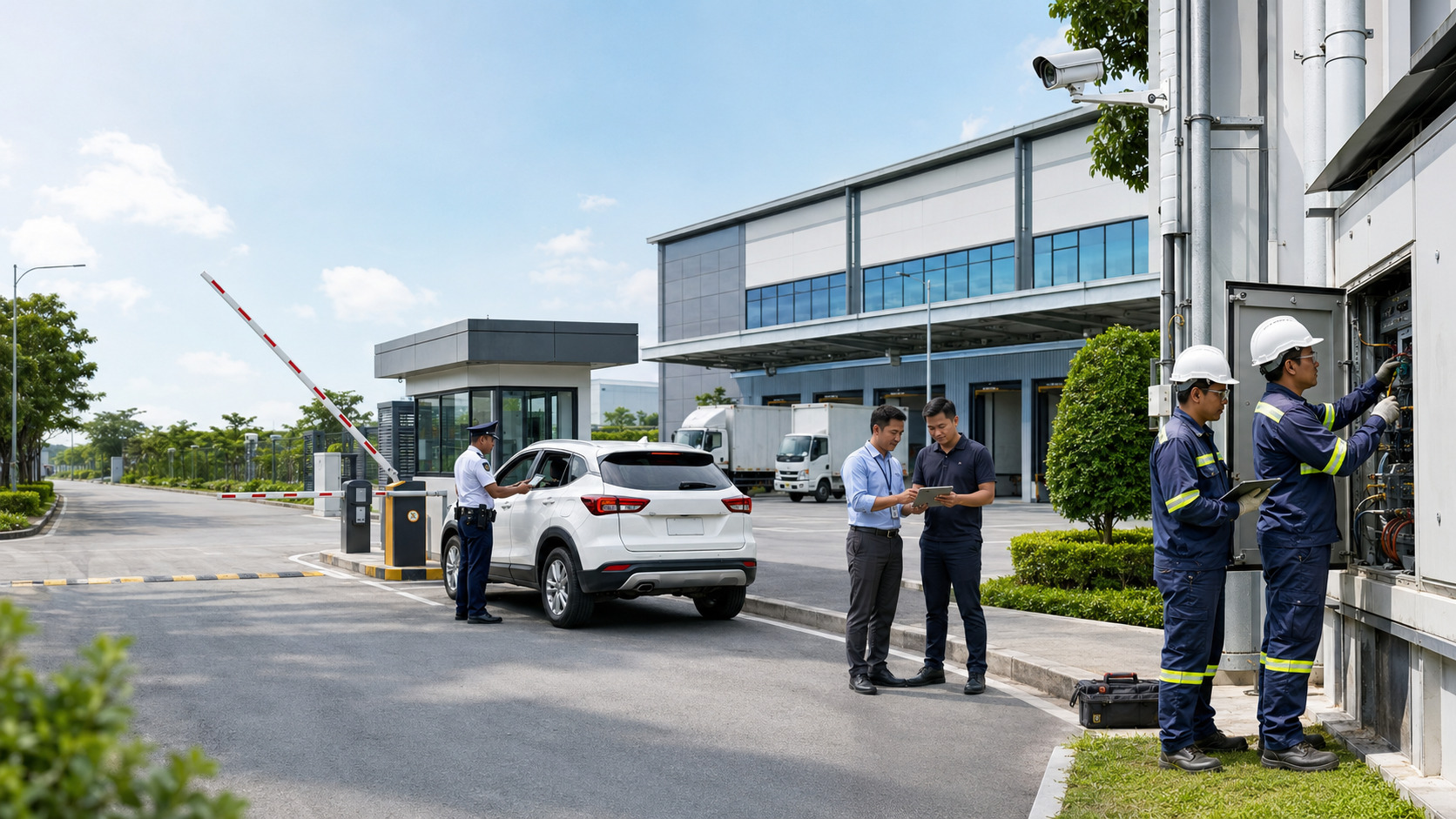
An industrial property management system Philippines operators assess should connect work permits, gate passes, maintenance requests, and management reporting without treating them as one undifferentiated record. The practical goal is to give each authorized role the information needed for the next action while preserving clear review, approval, assignment, and status histories.
The BahayKo property-management Philippines combines mobile access for residents or tenants, security personnel, and maintenance teams with an admin web portal for property administrators. Available workflows depend on the property’s approved setup, so an industrial team should evaluate the platform using its own access points, contractor rules, equipment concerns, and reporting needs.
To take immediate action, managers can follow these steps when evaluating the platform:
Identify a typical scenario that involves contractor entry, work permits, gate passes, and maintenance (for example, a contractor repairing an electrical panel).
Set up this scenario in the platform by creating the relevant records as each role would.
Prepare a checklist of necessary actions: submitting requests on mobile, reviewing and approving in the admin portal, checking status updates for each team, and ensuring that information flows to all responsible personnel.
Verify if all authorized roles can access only the records and actions appropriate to them, and confirm that the status history is clear at every stage.
Review how the system records handoffs, approvals, and completion status, and generate a report to see if management can easily monitor the process.
This hands-on approach helps teams confirm if the platform matches actual workflows and operational needs.
What Breaks When Industrial Property Records Stay Separate?
Industrial sites handle movements that affect several teams at once. A contractor may need permission to enter, approval to perform work, access to a controlled area, and authorization to bring tools or equipment through a gate. If each record is kept in a different chat thread, spreadsheet, email chain, or paper form, the people at the gate may not see the same status as the administrator or facilities team.
The operational problem is not simply missing information. It is missing context. A visitor name does not explain the work being performed. A work permit does not automatically confirm that a vehicle or item may leave the property. A maintenance note does not show whether the affected area has an access restriction. Teams need related records, but each record must keep its own purpose, owner, and approval status.
What Should an Industrial Property Management System Connect?
A useful system should connect the operational journey without collapsing every activity into a single form. An industrial property management system Philippines assess should begin with six separate but related record types:
People and vehicle access requests, including the requester, expected arrival, destination, and current status.
Work permits that describe the authorized activity, responsible contractor or team, schedule, and review decision.
Gate passes for controlled movement of materials, tools, equipment, or other property-defined items.
Maintenance requests and job updates that identify the concern, assignment, progress, and completion status.
Billing or collection records available to authorized users under the property’s approved setup.
Operational and financial reports that help management review pending work, completed actions, and exceptions.
The connection happens through shared operational context: the property, requesting party, responsible team, relevant dates, status, and authorized actions. It should still be possible to tell whether a record is a request, an approval, an assignment, a completion update, or a management review item.
For example, when a contractor requests to perform maintenance on factory equipment, separate but related records are created: an access request captures who is entering and when, a work permit details what task will be performed and by whom, and a gate pass specifies any tools or materials brought inside. Each record is linked by a common project reference and is visible to the next responsible role, but approvals, assignments, and status updates remain clear and distinct for every action.
How Are Work Authorization and Site Access Different?
A work permit answers whether a proposed activity has been reviewed under the property’s process. A visitor or vehicle access request answers whether a person or vehicle may enter. A gate pass addresses the movement of items covered by site rules. One approval should not be presented as if it automatically grants the others.
For example, a contractor replacing an electrical component may have an approved work schedule but still need to present the correct access information at the gate. If the contractor brings testing equipment, the property may require a separate gate-pass record. The facilities team may also need a maintenance or job record to follow the actual task and its completion.
For industrial work permit management, the mobile request should route the relevant details to the administrator for review, while authorized security personnel receive only the access information appropriate to their role. Teams preparing an iPhone or iPad test can review the BahayKo mobile app for Apple devices before demonstrating the request and status flow.
A gate pass management system should likewise preserve the difference between an item-movement request and a work authorization. The exact fields, approvers, and access rules remain property-specific and should be confirmed during setup and demonstration.
How Should Maintenance Updates Reach the Right Teams?
Maintenance coordination begins with a clear concern: where it occurred, what was observed, when it was reported, and which supporting details are available. The administrator or authorized coordinator can then review the request, assign responsibility, and monitor updates. Photos may support the record when the available workflow and property rules allow them.
Preventive maintenance tracking serves a different purpose from an urgent repair request. Scheduled work helps teams prepare recurring inspections or service activities, while an urgent concern requires a clear escalation path. The system can record and route information, but the property must still define priority levels, qualified decision-makers, safety controls, and response procedures.
To put this into practice, start by setting up clear priority categories in the system, such as 'urgent,' 'high,' 'normal,' or 'low,' based on risk, safety impact, or operational disruption. Assign criteria for each level and specify who has the authority to escalate requests or trigger immediate action. Document these standards so all teams follow the same escalation path and response timeline.
Maintenance and security teams evaluating Android access can review the BahayKo mobile app on Google Play before testing how assigned concerns and relevant status updates appear to authorized roles. A demonstration should use sample records rather than private tenant, contractor, or employee information.
How Do Industrial and Commercial Property Workflows Differ?
Commercial and industrial properties may both manage tenants, billing records, maintenance, and visitors, but their operational emphasis is not identical. Commercial teams often focus on tenant services, common-area operations, customer-facing access, and recurring occupancy concerns. Industrial sites may place greater emphasis on contractor activities, controlled item movement, equipment-related work, restricted areas, and coordination across facilities and security teams.
Teams comparing these operating contexts can review how a commercial property management system organizes requests, billing, access, and reporting. The comparison helps decision-makers identify which workflows are shared and which industrial controls require separate rules.
Industrial property management Philippines teams should therefore avoid copying a commercial workflow without review. The same platform may support related processes, but the roles, fields, approvals, and escalation paths should reflect the property’s actual operating model.
Which Roles Need Mobile Access and the Admin Web Portal?
Access should follow responsibility. Giving every person the same screen or record set creates unnecessary exposure and makes the next action less clear. A practical role review starts with the work each person must complete:
Residents, tenants, or authorized representatives may submit available requests, receive updates, and monitor the status of their own records through the mobile application.
Security personnel need relevant visitor, vehicle, gate-pass, move-in, move-out, contractor, or work-permit information based on their authorized role.
Maintenance personnel need assigned concerns, job requests, work details, and status actions that apply to their responsibilities.
Property administrators use the admin web portal to review information, approve or reject requests, assign work, issue updates, and manage authorized actions.
Property managers and accounting teams review the operational, billing, payment, and reporting records permitted by the property’s approved setup.
What Should Management Review Without Seeing Every Record?
Management needs enough information to identify delays, workload, recurring issues, and unresolved exceptions. It does not always need unrestricted access to every attachment or personal detail. Facility operations reporting should be designed around specific decisions, such as which requests remain pending, which work is overdue, where repeat concerns occur, or which approvals require attention.
The team should define each report’s audience, purpose, data fields, frequency, and follow-up owner. This makes the report an action tool rather than a passive export. It also supports privacy discipline by limiting access to information that a role genuinely needs.
Which Safety, Privacy, and Legal Decisions Stay Outside the Platform?
A property-management can support documentation and routing, but it does not issue professional safety judgments, building approvals, or regulatory clearances. The property owner, employer, contractor, safety officer, engineer, and other responsible parties retain their duties under applicable laws, permits, contracts, and site procedures.
Work-permit records should not be described as replacing an occupational safety and health program. Gate and visitor approvals should not be treated as fire-safety clearance. Maintenance status should not be presented as engineering certification. Likewise, a recorded approval does not remove the need to verify identity, competence, tools, protective measures, or site conditions when those checks apply.
Privacy decisions also remain important. Request forms should collect only relevant information, access should be limited by role, and retention practices should reflect the organization’s obligations and legitimate operational needs. To support privacy compliance, management should prioritize regular privacy audits, review user access rights periodically, enable user activity logging, and ensure secure storage and disposal of sensitive records. Teams should consult qualified legal, privacy, safety, engineering, accounting, or tax professionals for decisions outside the platform’s operational recordkeeping function.
What Should Your Team Prepare for a BahayKo Demonstration?
A focused demonstration should follow one realistic scenario from beginning to end. Prepare a sample contractor request, the required access details, an item that may need a gate pass, a maintenance concern, and the management question that the final report must answer. Identify the requester, administrator, security officer, maintenance assignee, and manager who should participate.
Before the session, agree on the decisions to test: which details are submitted on mobile, which actions occur in the admin web portal, what each role can see, how a rejected or incomplete request is handled, and which status appears after every action. Use fictional sample names and non-sensitive records.
When your team is ready, request an industrial workflow demonstration and describe the permit, gate, maintenance, and reporting scenario you want to evaluate. The session should help you decide whether the available setup matches your operating roles and where property-specific rules still need to be defined.
To make your demonstration more effective, use a simple checklist to prepare:
Define the roles that will participate in the demo (such as requester, administrator, security officer, maintenance staff, and manager).
Prepare sample data relevant to your typical workflow, including fictional contractor names, access requests, equipment details, and maintenance issues.
List the specific actions you want each role to perform during the session.
Identify any critical approval points or handoffs you want to observe.
Decide what outcomes or reports you want to check at the end of the scenario.
Following this checklist can help your team focus on key processes and get the most practical insights from the demonstration.
Frequently Asked Questions
What is an industrial property management system?
It is a platform for organizing operational records and actions across an industrial property. Depending on the approved setup, this may include access requests, work permits, gate passes, maintenance concerns, billing records, notifications, and reports for authorized users.
Does a work permit automatically allow a contractor to enter the site?
Not necessarily. A work permit addresses the proposed activity, while site access addresses entry by a person or vehicle. Industrial properties may also require separate checks, identification, schedules, safety documents, or gate-pass records under their own procedures.
Can BahayKo replace a property’s safety or engineering approval process?
No. BahayKo can support the recording and routing of available requests and updates. It does not replace the judgment or legal responsibilities of safety officers, engineers, administrators, employers, contractors, or government authorities.
Who uses the BahayKo mobile application at an industrial property?
Residents, tenants, authorized representatives, security personnel, and maintenance teams may use mobile workflows relevant to their roles. Property administrators use an admin web portal for review, approval, assignment, updates, and other authorized actions.
Can management reports include billing and payment information?
Authorized operational and financial records may be available based on the property’s approved setup. The team should confirm the exact data, permissions, review process, and reporting requirements instead of assuming that every accounting function or payment channel is included.
What should an industrial team test first?
Start with one cross-team scenario that currently causes delays or repeated follow-ups. A contractor work request that also involves gate access, equipment movement, maintenance coordination, and a management status review can reveal whether responsibilities and handoffs are clear.
How Should Industrial Teams Choose Their Next Workflow?
The right industrial property management system Philippines operators choose should make responsibility and status easier to understand without erasing the differences between permits, access records, gate passes, maintenance work, and reports. Begin with the workflow that creates the most handoffs, then test it using the people who actually submit, review, approve, assign, verify, and monitor the record.
Disclaimer
This article provides general property-operations information. It does not provide legal, privacy, safety, engineering, accounting, tax, or regulatory advice. Requirements may vary by property, activity, contract, and local authority. Consult qualified professionals and the appropriate government agencies for decisions that apply to your site.